Thanks for your message and sorry to hear about this issue.
Looks like there’s an issue with the Latest DaVinci Resolve 20 and Auto-Align Post 2.
We’re working together with Blackmagic to fix this as soon as possible.
In the meantime, if you can, try going back to DaVinci Resolve Studio 19.1.4:
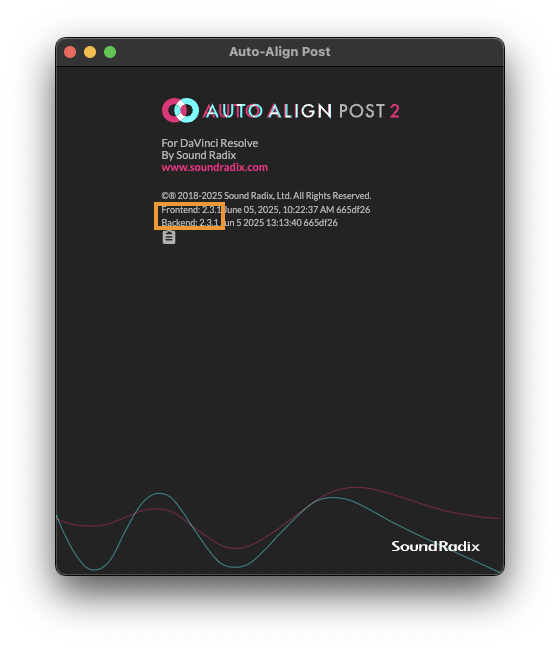
To confirm that Auto-Align Post is installed correctly, click the Auto-Align Post logo and verify that both the frontend and backend versions are 2.3.1.
Sorry to hear about this issue.
We’ve recently released Auto-Align Post 2.3.2. Please install this latest version and see if the issue persists.
If it does, it’d be a big help if you could send us the project at support@soundradix.com so we can try to reproduce it on our end.
One thing you can try is to copy some of the clips from the DX4 track onto a new track and try to align from the new track. There’s a chance that a few problematic clips are causing the alignment to fail.
Also, if you see clips like the one in the screenshot, try removing them before aligning.
Hi Oran, I tried both 2.3.2 and 2.3.1, both with the same result. I tried to copy the clips into a new track as well, no luck. All tracks are synced and linked as they should.
I also tried bouncing both tracks “in place”, effectively consolidating the edits, and the result is the same.
Update : I realized after bouncing the track in place that it keeps the original edits in an audio layer on the same track, so after deleting that extra redundant layer, now the plug-in works.
Oh Weh, i finally got to buy long anticipated Auto-Align and was looking forward to great sound…but then got this Error: GetMediaPoolItem: Error response (errorStr:Item is not a media) (errorCode:6)
i just installed a couple of hours ago:
AAP Frontend: 2.3.2 July 03, 2025, 11:06:04 AM ce9c2cb,
Backend: 2.3.2 Jul 3 2025 13:56:06 ce9c2cb
Davinci Resolve 20.0.0.1 Build 6 on a Intel iMac 14.7.4
can i do anything to solve the issue?
i already bounced the whole edit in in place an put the two tracks in a new timeline.
Sorry to hear about this issue.
I’m trying to reproduce it with no success so far.
It would be a great help if you could send us your project (or some of it) to support@soundradix.com.
The content will be safe with us and will only be used to hopefully fix this issue.
erratic…
after restart it worked for 3 Timelines.
Then - in one long stretch that i wanted to sync - it synced fine up to around half an hour when the files started to be off for a couple of milliseconds…
now whenever i want to start the align process i either get the poolitem error or this:
Error: FFmpeg channel index 1 out of bounds
does it help if i send you the timeline with the audiofiles ?
Thanks for your reply.
I was able to reproduce the “FFmpeg channel index 1 out of bounds” error erlier today, so we will look into that one asap.
If you could right-click the porject in DaVinci’s project manager and use ‘Eport Project Archive’ - that would be best, as that would make our starting point the same as yours.
here would be the link to the problematic timeline.
as mentioned it align fine up to a certain point.
i then put the bits that did not align on different tracks and tried to work on this shorter pieces.
but was hit by the PoolItem error.
i could workaround by aligning in protools, but of course it would be much nicer to stay in davinci.
i understood that i can only align “track wise” in davinci, whereas i can select clips in protools (which is preferable, but probalby impossible given the architecture of the program…)
and you mentioned that it is better to work on mono files, yes ? i did not try yet if this solves the issue…
I was able to reproduce the GetMediaPoolItem issue, and our developers will look into it.
Usually, AAP can handle Stereo files without any issues.
If you specifically encounter the FFmpeg channel index 1 out of bounds issue, it’s worth trying to change the clip’s attributes from Stereo to Mono, as a troubleshooting step.
Normally, this isn’t required or advised.
Thanks again for your project, and we’ll be in touch.
Any news on the issues with AAP and Davici ? will upgrade to 20.1 help ? still have trouble with approx. 80 % of the time i try to use alignment within Davinci. can’t see a pattern when its working and when not…